
Congratulations! Your promo code PROMOCODE will be automatically applied when you check out – enjoy.
















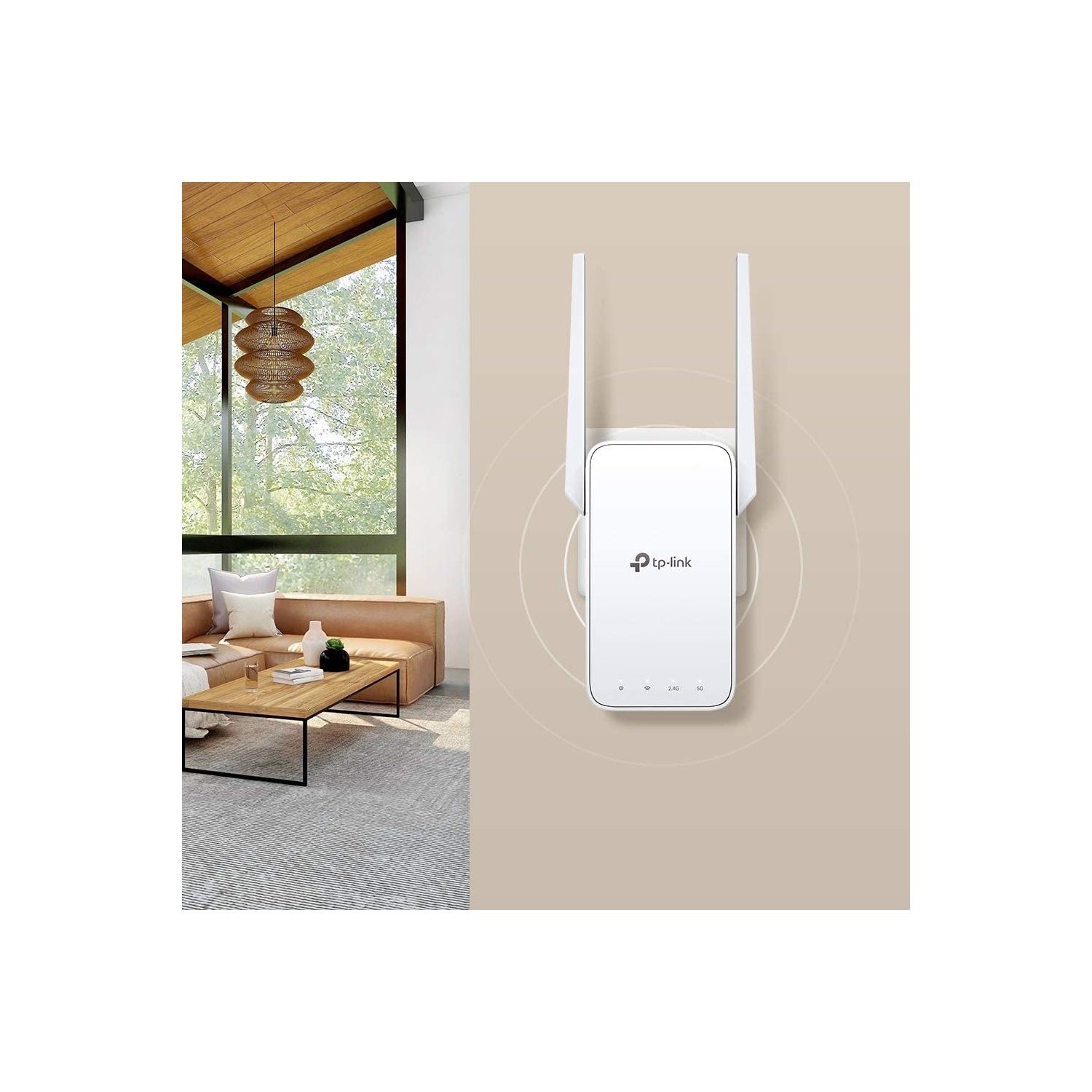


TP-Link RE315 AC1200 Dual-Band Mesh Wi-Fi Range Extender
Key Features:
- AC1200 dual-band Wi-Fi with combined speeds up to 1200Mbps
- Wireless speeds of up to 867Mbps on 5GHz and 300Mbps on 2.4GHz
- Two external antennas help extend wireless coverage
- EasyMesh compatibility for seamless whole-home Wi-Fi coverage
- Adaptive Path Selection automatically chooses an efficient connection path to the router
- Smart Roaming helps compatible devices maintain connections while moving around your home
- MU-MIMO and Beamforming support for improved wireless performance
- Access Point mode creates a Wi-Fi network from an existing wired connection
- 10/100Mbps Ethernet port for connecting compatible wired devices
- Smart Signal Indicator helps identify the best position for the extender
- Quick setup using WPS or the TP-Link Tether app
- Compatible with existing Wi-Fi routers and wireless access points
AC1200 Dual-Band Wi-Fi Performance
Expand your wireless network with the TP-Link RE315, delivering combined AC1200 dual-band speeds of up to 1200Mbps. It provides up to 867Mbps on the 5GHz band and 300Mbps on the 2.4GHz band, helping improve connectivity for everyday browsing, HD video streaming, online gaming and video calls. Using both frequency bands allows compatible devices to connect through the band that best suits their requirements.
Extend Wireless Coverage Around Your Home
Improve Wi-Fi reception in rooms and areas where your existing router struggles to provide a reliable signal. The RE315 connects wirelessly to your router and retransmits the connection to help reduce weak signal areas and Wi-Fi dead zones. This makes it useful for extending coverage to bedrooms, home offices and other spaces where a stronger wireless connection is needed.
Two External Antennas
Equipped with two external antennas, the RE315 helps distribute wireless signals across your home. Their adjustable design provides flexibility when positioning the extender to suit your environment, helping improve connectivity for smartphones, laptops, tablets and other compatible wireless devices.
EasyMesh-Compatible Whole-Home Networking
Connect the RE315 to a compatible EasyMesh router to create a unified whole-home Wi-Fi network. Supported networking devices can work together under one network name, helping reduce the need to switch between separate wireless connections as you move around your home. This provides a more convenient way to extend coverage across multiple rooms when using compatible equipment.
Adaptive Path Selection
Maintain an efficient connection to your router with Adaptive Path Selection. This feature automatically selects an appropriate connection path between the extender and router, helping the RE315 make better use of the available wireless bands. It supports a more consistent connection as network conditions and wireless traffic change.
Smart Roaming for Seamless Connectivity
Move between rooms while compatible devices can connect to the most suitable available Wi-Fi signal. Smart Roaming is designed to support smoother transitions between compatible EasyMesh network devices, helping reduce interruptions during activities such as video streaming and online calls. Smart Roaming requires compatible client devices that support 802.11k/v standards.
MU-MIMO and Beamforming Technology
Improve wireless communication with support for MU-MIMO and Beamforming. MU-MIMO helps the extender communicate with multiple compatible devices more efficiently, while Beamforming focuses wireless signals towards connected devices rather than distributing them equally in every direction. These technologies help support a more reliable network experience when several devices are connected.
10/100Mbps Ethernet Connectivity
Connect a compatible wired device through the built-in 10/100Mbps Ethernet port. This provides a convenient networking option for equipment such as desktop computers, smart TVs and other devices that require a wired connection. The port can also be used when operating the RE315 in Access Point mode.
Flexible Range Extender and Access Point Modes
Choose the operating mode that suits your network setup. Range Extender mode receives and retransmits your existing router's wireless signal to expand coverage. Alternatively, Access Point mode connects to your router through an Ethernet cable and creates a new Wi-Fi access point, making it useful in areas where a wired network connection is available.
Smart Signal Indicator for Easy Positioning
Find a suitable location for your extender using the built-in Smart Signal Indicator. The indicator helps show the strength of the connection to your router, making it easier to identify a position where the RE315 can receive a good signal while extending coverage to the areas that need it. Correct placement helps achieve better wireless performance.
Simple Setup and Network Management
Connect the RE315 to a compatible router using the WPS button for a straightforward setup process. Alternatively, use the TP-Link Tether app on a compatible Android or iOS smartphone to configure and manage your extender. The device can also be managed through its web interface, providing additional flexibility when adjusting network settings.
Broad Router and Device Compatibility
The RE315 works with standard Wi-Fi routers and wireless access points, allowing you to extend an existing network without replacing your current equipment. It supports IEEE 802.11a/n/ac on the 5GHz band and IEEE 802.11b/g/n on the 2.4GHz band, providing compatibility with a wide range of wireless devices.
Wireless Security and Network Controls
Help protect your extended wireless network with support for 64/128-bit WEP and WPA/WPA2-PSK security, with WPA3 support available on supported hardware and firmware versions. Additional wireless controls include the ability to enable or disable the wireless radio and view wireless statistics, helping you manage the extender's operation.
Compact Plug-In Design
Designed to plug directly into a standard power socket, the RE315 provides a convenient way to expand wireless coverage without requiring a separate desktop unit. Measuring approximately 89 x 35 x 124.1mm, it features two external antennas and a maximum power consumption of 9.5W, making it suitable for everyday home networking setups.

